
Fastfetch vs HyFetch: Which Terminal Fetch Tool Should You Use in 2026?
Fastfetch and HyFetch are popular terminal fetch tools that help users display system information from the command line. Although both tools serve a similar purpose, they provide different experiences based on speed, customization, and terminal appearance.
This comparison covers their features, performance, customization options, supported platforms, installation methods, and key differences to help you decide which tool fits your needs.
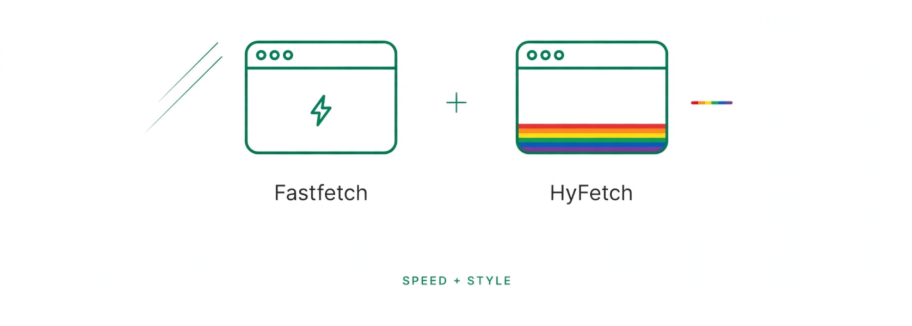
Fastfetch is a good choice if you want a fast and lightweight tool to quickly check your system information. HyFetch is better for users who want colorful themes and more terminal customization. You can also use both together, with Fastfetch providing the system details and HyFetch improving the visual appearance.
What Are Fastfetch and HyFetch?
Fastfetch and HyFetch are terminal-based system information tools that allow users to view details about their computer directly from the command line. They can display information such as the operating system, CPU, memory, graphics, kernel version, and other hardware details in a readable format.
These tools are commonly used by Linux enthusiasts, developers, and power users who want a quick overview of their system without opening separate applications. They also let users customize how system information appears, including logos, colors, layouts, and displayed modules.
Fastfetch vs HyFetch: What’s the Difference?
Both show system information in the terminal, but they work differently.
Fastfetch
A system information tool that focuses on speed and control over what you see.
HyFetch
Adds more colors, styles, and personal touches to terminal output.
How they work
Fastfetch works as its own tool, while HyFetch can use other fetch tools to display information.
Main difference
Fastfetch focuses more on showing system information, while HyFetch focuses more on how that information looks.
Fastfetch vs HyFetch: Feature Comparison
Both tools show system information, but they offer different features and ways to customize the output. Here is a quick look at the main differences.
| Feature | Fastfetch | HyFetch |
|---|---|---|
| Core technology | Native C application | Rust-based application |
| Backend support | Uses its own native engine | Can use Fastfetch, Neofetch, or Macchina |
| Configuration | JSONC-based configuration | Interactive setup and preset-based configuration |
| System modules | Large collection of modules for system details | Depends on the selected backend |
| Logo support | Large collection of distribution logos | Supports ASCII logos with color customization |
| Pride flags | Not a core feature | Built-in pride flag color themes |
| Image support | Supports multiple image protocols and display options | Depends on the backend and terminal setup |
| Windows support | Yes | Yes |
| Customization style | Detailed control over modules and layout | Strong focus on themes and visual styling |
How Fastfetch and HyFetch Work
Fastfetch and HyFetch take different approaches to displaying system information.
Fastfetch
Fastfetch collects system details directly through its own modules, which helps it provide quick output with low resource usage.
VS
HyFetch
HyFetch focuses more on presentation and customization. It can use different backends, including Fastfetch, while adding more options for colors, themes, and visual styles.
This is why Fastfetch is commonly preferred for speed, while HyFetch is popular among users who want a more personalized terminal appearance.
Which Is Faster — Fastfetch or HyFetch?
Fastfetch is generally the faster choice for users who want quick system information with minimal resource usage. It is designed to provide fast output while keeping the system load low.
Fastfetch
| Performance Factor | Fastfetch | HyFetch |
|---|---|---|
| Startup speed | Very fast because it uses a lightweight native engine | Depends on the selected backend and customization options |
| Resource usage | Uses fewer system resources | May use slightly more resources because of additional styling features |
| Main purpose | Quickly displays detailed system information | Creates a more customized and visually attractive terminal output |
| Best suited for | Users who want speed, efficiency, and quick system checks | Users who prefer themes, colors, and personalized terminal designs |
| Overall experience | Simple, fast, and performance-focused | More colorful, flexible, and appearance-focused |
Fastfetch is optimized for users who want quick system information with minimal overhead. HyFetch provides a more customized experience, but performance can vary depending on the selected backend and visual settings.
Customization and Themes: Fastfetch vs HyFetch
Both tools let you change the look of terminal output, but their customization options serve different needs.
Fastfetch Customization
You can easily change how the output looks and what information appears. You can adjust logos, colors, spacing, order, and layout. Presets also let you quickly switch between different styles.
HyFetch Customization
HyFetch focuses more on colors, themes, and visual styles. It can add Pride flag colors to logos and offers different built-in color styles. You can also choose visual settings and adjust colors to match a light or dark terminal.
Fastfetch vs HyFetch: Supported Platforms
Both work on common desktop systems, but Fastfetch also supports a wider range of less-common operating systems.
| Platform | Fastfetch | HyFetch |
|---|---|---|
| Linux | Yes | Yes |
| Windows | Yes | Yes |
| macOS | Yes | Yes |
| Android | Yes | Depends on setup |
| FreeBSD | Yes | Depends on backend |
| OpenBSD | Yes | Depends on backend |
| NetBSD | Yes | Depends on backend |
| DragonFly BSD | Yes | Depends on backend |
| Haiku | Yes | — |
| SunOS / illumos / Solaris | Yes | — |
How to Install Fastfetch and HyFetch
Both tools can be installed from the terminal, with the exact method depending on your operating system.
Install Fastfetch
Fastfetch is available through package managers on many Linux distributions, though the exact command depends on your distribution and version.
The Fastfetch installation guide covers complete setup steps for Linux, Windows, and macOS.
Install HyFetch
You can install HyFetch using pip or pipx.
Step 1Install with pip
pip install -U hyfetchOr install with pipx
pipx install hyfetchUse either pip or pipx; you do not need to run both commands.
Step 3Run HyFetch
hyfetchThis launches HyFetch and displays your system information with its customized terminal styling.
Can You Use Fastfetch and HyFetch Together?
Yes, you can use Fastfetch and HyFetch together. HyFetch can use Fastfetch as a backend, which means Fastfetch collects the system information while HyFetch manages the visual presentation.
How They Work Together
Fastfetch
Fastfetch provides the system details, such as CPU, memory, operating system, and hardware information.
+
HyFetch
HyFetch adds customization features, including colors, themes, and visual styles.
This combination allows users to enjoy Fastfetch’s fast performance while keeping HyFetch’s customized terminal appearance.
Fastfetch or HyFetch: Which One Should You Use?
The right choice depends on what you want from your terminal experience.
Fastfetch is better suited for users who prioritize speed and efficiency, while HyFetch is a good choice for users who want a more customized and visually attractive terminal experience.
FAQs
Conclusion
Fastfetch and HyFetch offer different approaches to terminal fetch tools. Fastfetch provides a direct system-information experience, while HyFetch puts more emphasis on visual presentation and themes.
The two tools can also work together, making it possible to combine Fastfetch’s backend with HyFetch’s visual features.

Adam Bennett
Adam Bennett writes the Fastfetch guides on this site, researching and testing each one against official Fastfetch documentation and other reliable technical sources to keep instructions accurate and up to date. Guides are reviewed and updated as Fastfetch continues to evolve, covering everything from installation and configuration to troubleshooting and comparisons with other terminal tools.